OpenLIT Integration via OpenTelemetry
Langfuse is an OpenTelemetry backend, allowing trace ingestion from various OpenTelemetry instrumentation libraries. This guide demonstrates how to use the OpenLit instrumentation library to instrument a compatible framework or LLM provider.
Step 1: Install Dependencies
Install the necessary Python packages: openai, langfuse, and openlit. These will allow you to interact with OpenAI as well as setup the instrumentation for tracing.
%pip install openai langfuse openlit --upgradeStep 2: Configure Environment Variables
Before sending any requests, you need to configure your credentials and endpoints. First, set up the Langfuse authentication by providing your public and secret keys. Then, configure the OpenTelemetry exporter endpoint and headers to point to Langfuse’s backend. You should also specify your OpenAI API key.
import os

# Get keys for your project from the project settings page: https://cloud.langfuse.com
os.environ["LANGFUSE_PUBLIC_KEY"] = "pk-lf-..."
os.environ["LANGFUSE_SECRET_KEY"] = "sk-lf-..."
os.environ["LANGFUSE_BASE_URL"] = "https://cloud.langfuse.com" # 🇪🇺 EU region
# os.environ["LANGFUSE_BASE_URL"] = "https://us.cloud.langfuse.com" # 🇺🇸 US region

# Your openai key
os.environ["OPENAI_API_KEY"] = "sk-proj-..."
With the environment variables set, we can now initialize the Langfuse client. get_client() initializes the Langfuse client using the credentials provided in the environment variables.
from langfuse import get_client

langfuse = get_client()

# Verify connection
if langfuse.auth_check():
    print("Langfuse client is authenticated and ready!")
else:
    print("Authentication failed. Please check your credentials and host.")
Step 3: Initialize Instrumentation
With the environment set up, import the needed libraries and initialize OpenLIT instrumentation. We set tracer=tracer to use the tracer we created in the previous step.
import openlit

# Initialize OpenLIT instrumentation. The disable_batch flag is set to true to process traces immediately.
openlit.init(disable_batch=True)
Step 4: Make a Chat Completion Request
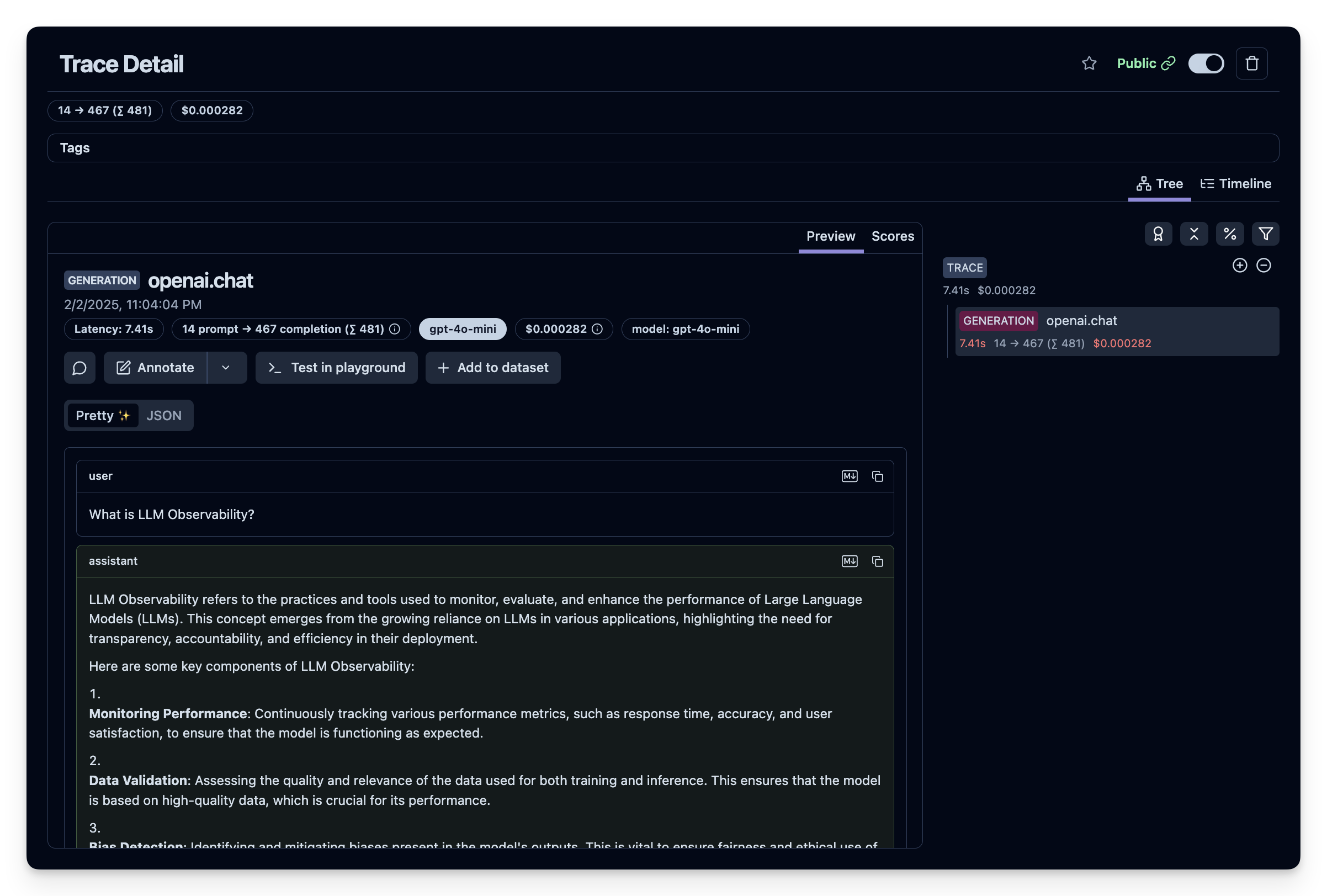
For this example, we will make a simple chat completion request to the OpenAI Chat API. This will generate trace data that you can later view in the Langfuse dashboard.
from openai import OpenAI

# Create an instance of the OpenAI client.
openai_client = OpenAI()

# Make a sample chat completion request. This request will be traced by OpenLIT and sent to Langfuse.
chat_completion = openai_client.chat.completions.create(
    messages=[
        {
          "role": "user",
          "content": "What is LLM Observability?",
        }
    ],
    model="gpt-4o",
)

print(chat_completion)
Step 5: See Traces in Langfuse
You can view the generated trace data in Langfuse. You can view this example trace in the Langfuse UI.